
Picture this: A customer wants to order 50 custom t-shirts with their company logo, specific colors, and embroidery details. Your team spends three days going back and forth on emails, creating quotes in spreadsheets, recalculating pricing, and fixing mistakes. By the time you send the final quote, the customer has already moved on to a competitor who quoted them in 2 hours.
Sound familiar? You're not alone. According to G2's 2026 research, 73% of small businesses report that slow, error-prone quoting is their biggest obstacle to closing deals on custom products. That's exactly why CPQ software has become one of the most recommended sales tools for small businesses on platforms like G2 and Capterra.
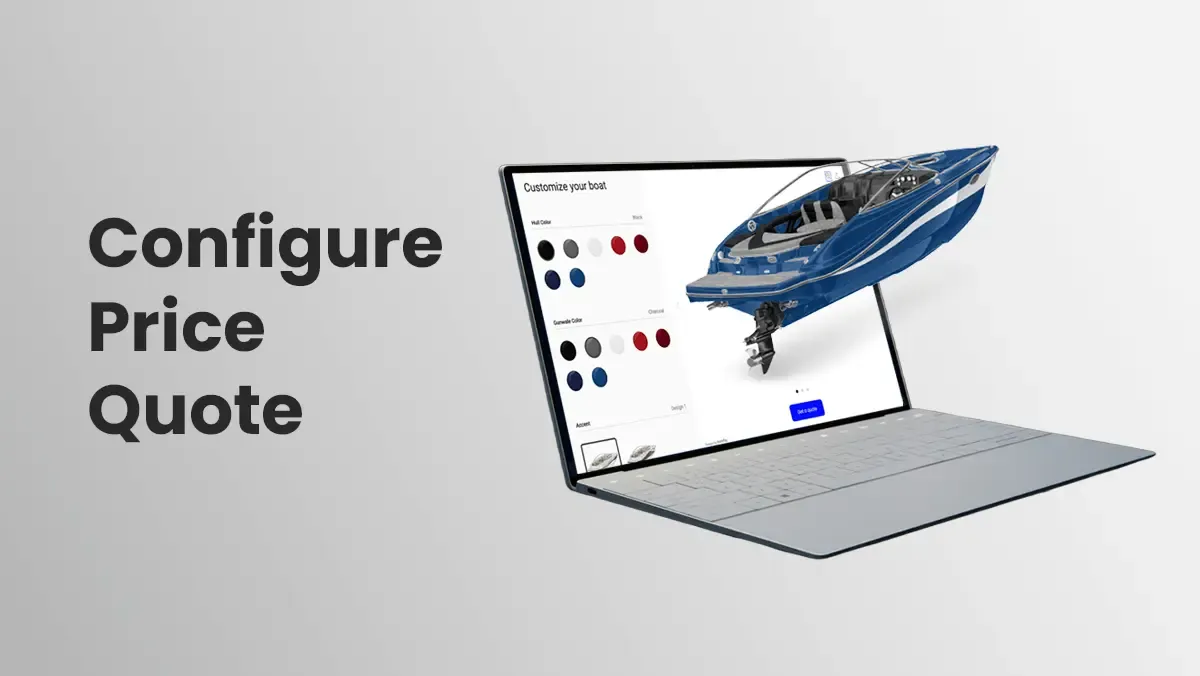
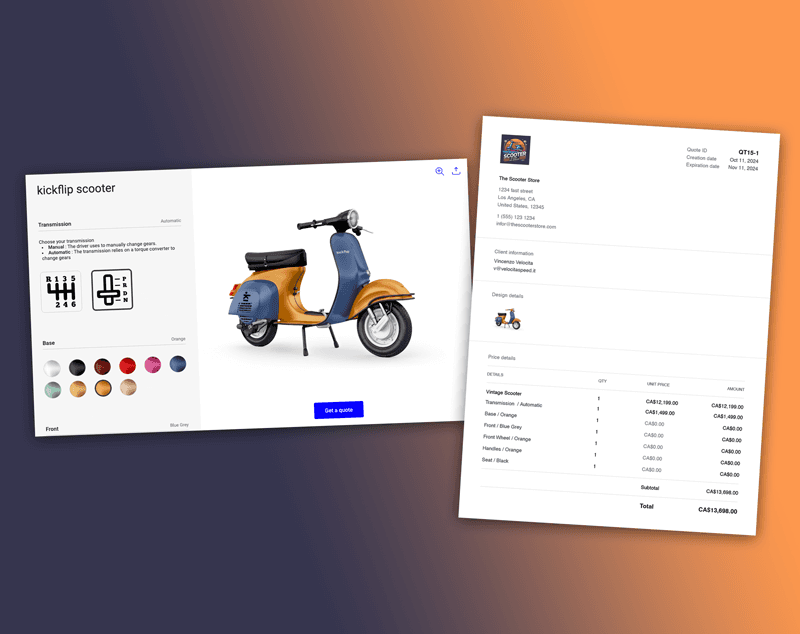
CPQ stands for Configure, Price, Quote. As industry leaders like Salesforce explain, it's software that lets customers (or your sales team) configure products with all the right options, see accurate pricing in real-time, and generate professional quotes instantly. The game-changer? Modern CPQ isn't just for internal sales teams anymore. Today's best CPQ tools work directly in your online store, letting customers configure products themselves and request quotes without any back-and-forth.
This guide focuses on the 7 best CPQ software options for small businesses in 2026. One standout tool you'll see is Kickflip, a visual, ecommerce-first CPQ that works directly in your storefront, letting customers configure products and request quotes seamlessly.
CPQ for Small Business in 2026: What's Changed
From Spreadsheets to Streamlined Quoting
Let's be honest: most small businesses are still creating quotes the hard way. You're probably using spreadsheets, calculating pricing manually, and sending PDF quotes through email. This approach creates three major problems:
Errors everywhere. Manual calculations lead to pricing mistakes that cost you money or credibility.
Slow response times. Customers expect quotes within hours, not days.
Lost deals. While you're crafting the "perfect" quote, competitors are closing deals faster.
Industry data from G2 shows that businesses using CPQ software close deals 28% faster and reduce quoting errors by 65%. For small businesses, this difference can mean the difference between growth and stagnation.
Internal CPQ vs Customer-Facing CPQ
Traditional CPQ was built for sales reps working behind the scenes. A salesperson would use the software to configure products, calculate pricing, and generate quotes for customers. This works fine for enterprise sales teams, but it creates a bottleneck for small businesses.
Modern, customer-facing CPQ flips this model. Instead of waiting for a sales rep, customers configure products directly in your online store. They see pricing updates in real-time, visualize their customizations, and request quotes instantly. This approach removes friction and speeds up the entire sales process.
Key Outcomes Small Businesses Should Expect from CPQ
When you implement the right CPQ software, you should see:
Faster quote turnaround. From days to hours (or minutes).
Fewer mistakes. Automated calculations eliminate human error.
Higher conversion rates. Customers can see exactly what they're getting and how much it costs.
Better customer experience. No more endless email chains or confusing back-and-forth.
The key is choosing CPQ software that simplifies your workflow instead of complicating it. For a deeper dive into the mechanics, our CPQ software guide explains the process from start to finish.
How We Chose the Best CPQ Software for Small Business
Selection Criteria
Not all CPQ software is created equal. Enterprise solutions often come with features that small businesses don't need and price tags that don't make sense for smaller teams. Here's what we looked for:
Ease of use for non-technical teams. Can your team set it up and manage it without hiring developers?
Pricing and total cost of ownership. Does the pricing structure make sense for small business budgets?
Integration capabilities. Does it work with your existing ecommerce platform and daily tools without requiring complex technical integration?
Product configuration support. Can it handle your specific customization needs and pricing rules?
Quality of support and onboarding. Is there good documentation, responsive support, and resources to get you started?
The 7 Best CPQ Software Tools for Small Business in 2026
1. Kickflip: Best for Visual, Ecommerce-First CPQ
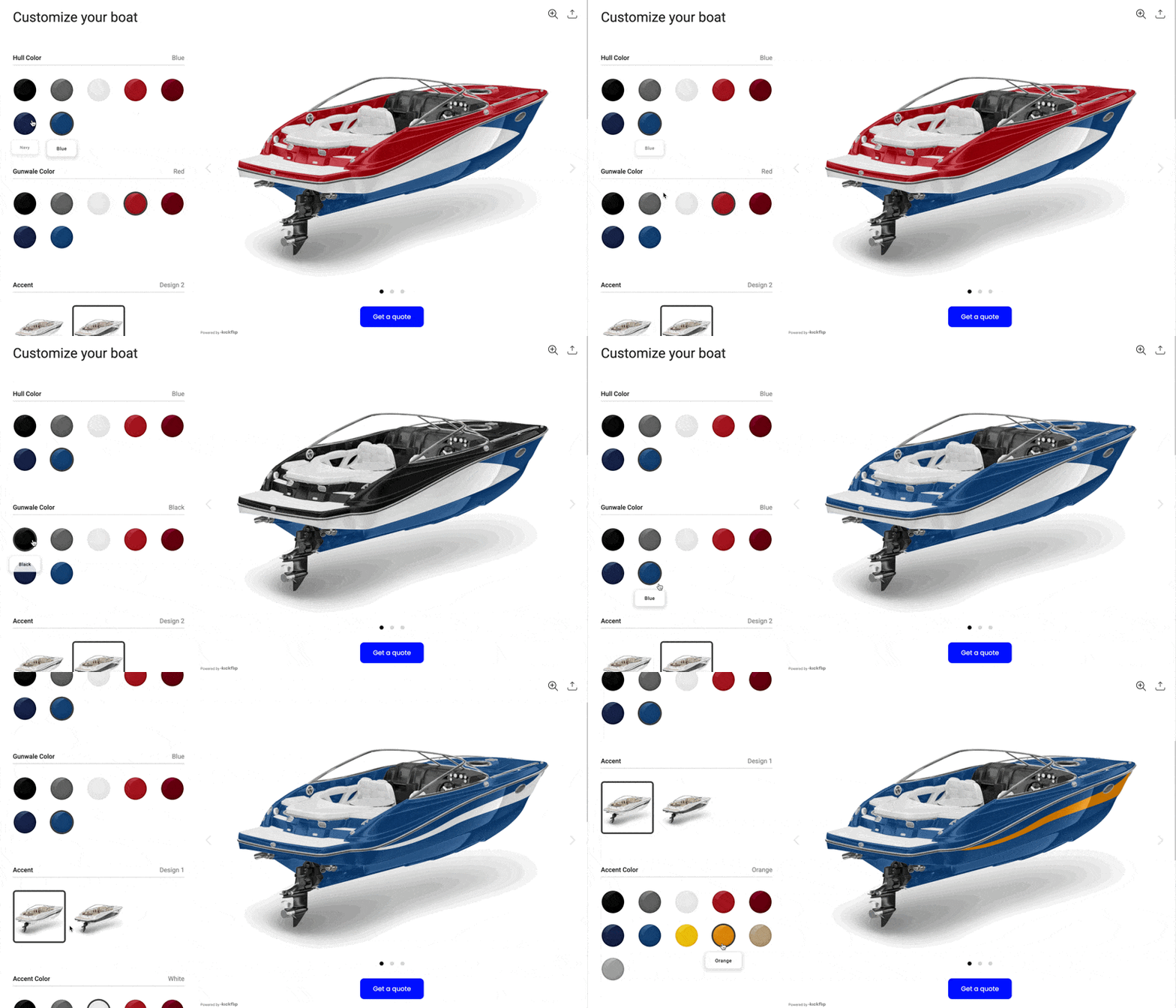
Kickflip represents the new generation of CPQ software built specifically for small ecommerce businesses selling customizable products.
Core Features:
Visual product configuration. Customers see their customizations in real-time as they make selections.
Dynamic pricing. Prices update instantly as customers add options, change materials, or adjust quantities.
Integrated CPQ workflow. "Get a Quote" button replaces "Add to Cart" for complex or higher order value items.
Quote management. Create, adjust, send PDF quotes, and convert approved quotes to orders.
Why it's great for small businesses:
No-code setup. Build product configurators in days, not months.
Ecommerce-native. Designed specifically for online stores, not retrofitted from enterprise software.
Flexible pricing display. Show or hide prices during configuration based on your business model.
Quick deployment. Integrates with platforms like Shopify and WooCommerce, Wix, and custom platforms.
Ideal use cases:
Apparel brands offering custom embroidery, colors, and sizing
Sporting goods companies with customizable equipment
Home decor businesses selling personalized furniture or wall art
Any small business handling complex or high-value custom orders
Pricing: Scale plan starts at $59/month with transaction fees from 1.95% down to 0% as sales grow. CPQ add-on is $99/month with 10 free quotes included.
2. PandaDoc CPQ: Best for Document-Driven Quotes and Contracts
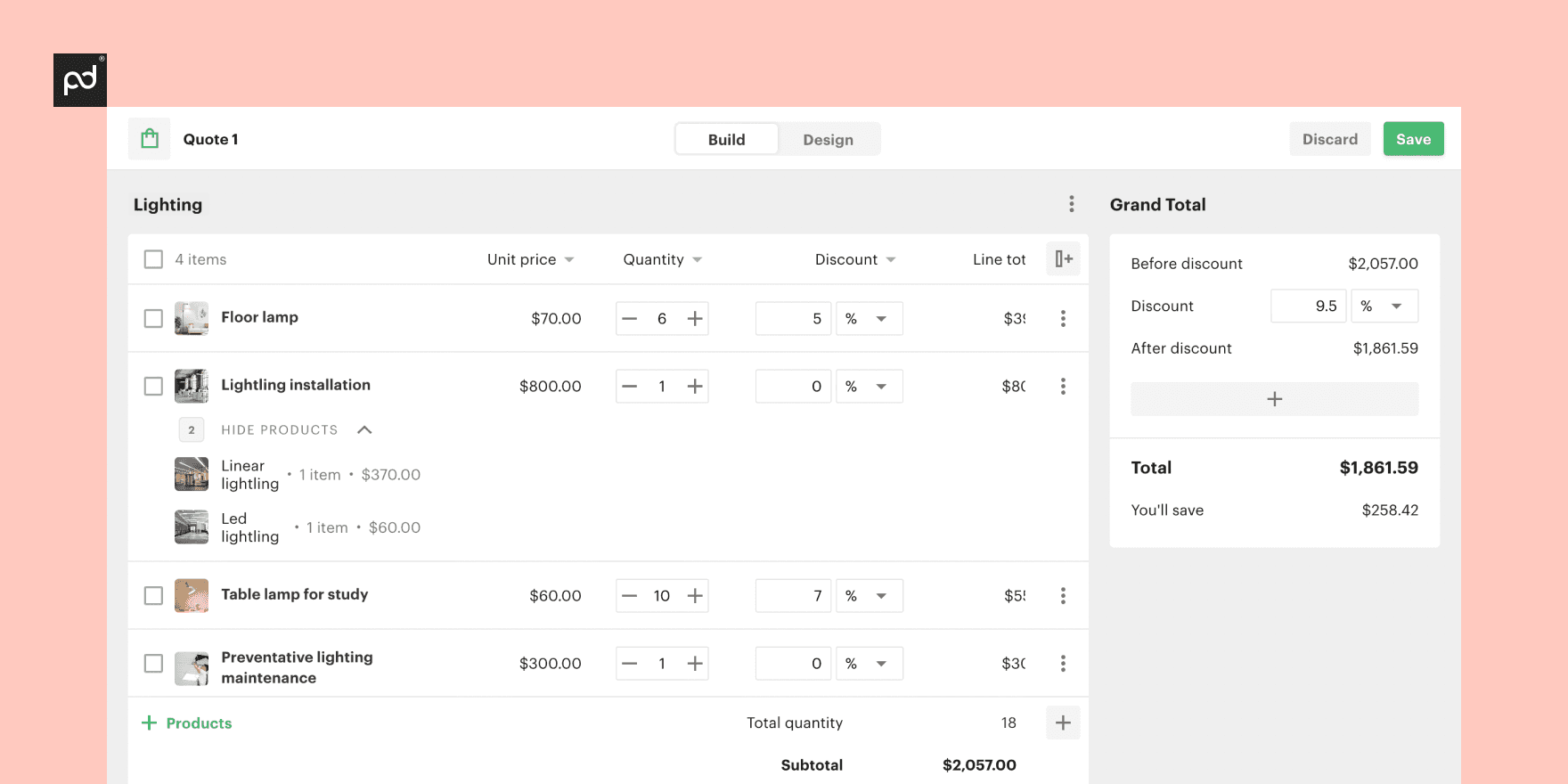
PandaDoc CPQ focuses on businesses that need robust document management alongside their quoting process.
Key features:
Comprehensive quote generation with contract lifecycle management
Prebuilt templates for proposals, quotes, and agreements
E-signature functionality and document analytics
Approval workflows for complex deals
Why small businesses choose it: According to G2 reviews, small teams appreciate the all-in-one approach that handles quotes, proposals, contracts, and signatures in one platform.
Ideal use cases:
Service-oriented small businesses (consulting, marketing agencies, professional services)
Product businesses that rely heavily on formal proposals and contracts
Companies that need detailed approval workflows
3. QuoteWerks: Best for Small Teams Needing Lots of Integrations
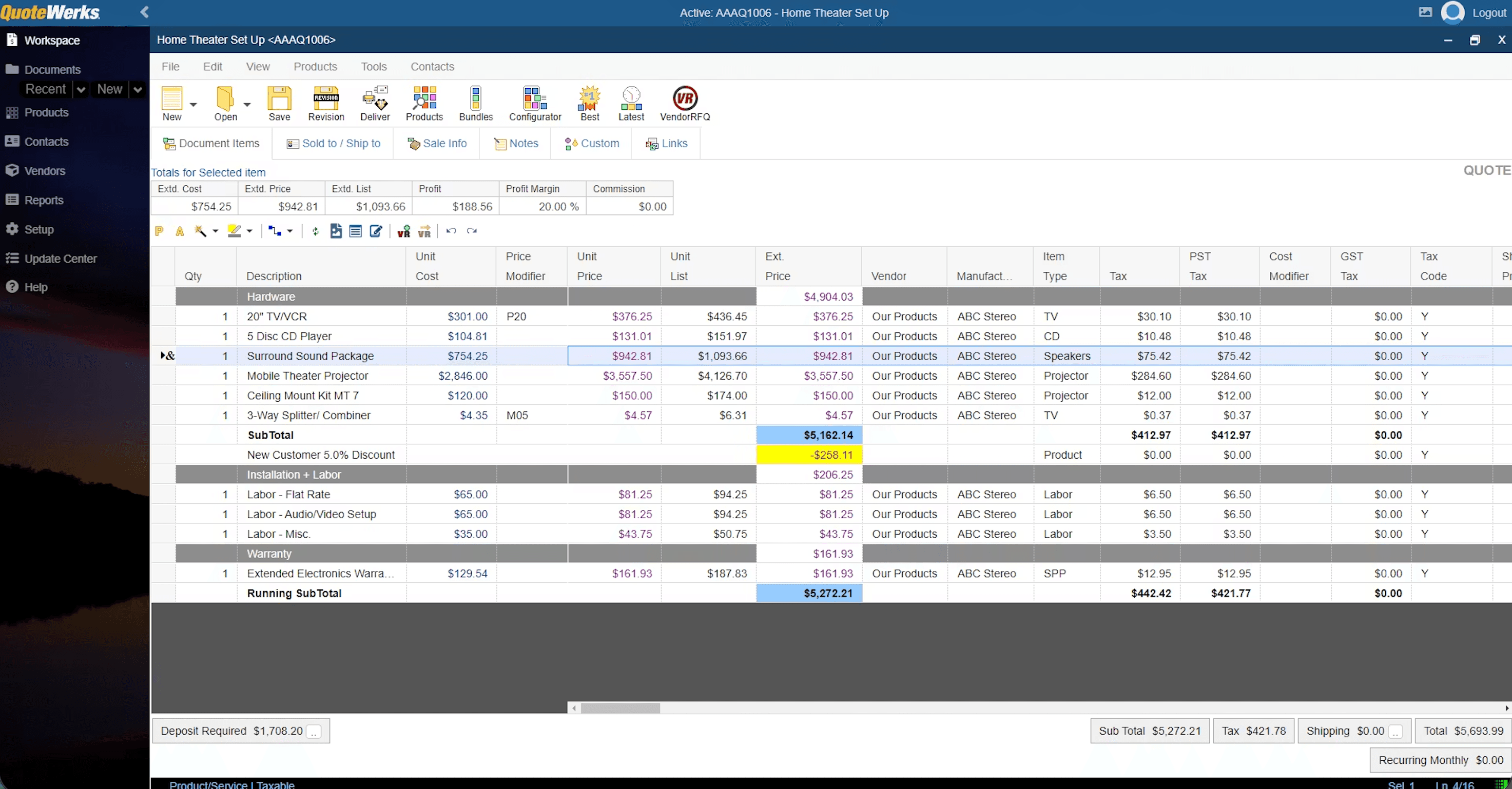
QuoteWerks has been serving small businesses for over two decades, with a focus on connectivity and flexibility.
Key features:
Extensive integration library connecting to hundreds of business tools
Automated approval workflows and quote tracking
Highly customizable quote templates and branding
Product catalog management with vendor pricing updates
Strengths for small businesses: Capterra reviews consistently highlight the wide range of integrations and the ability to connect quoting with existing business systems without starting from scratch.
Ideal use cases:
Small companies with mixed tool stacks that need quoting to connect everything
Businesses that work with multiple suppliers and need vendor catalog integration
Teams that require extensive customization of quote formats and workflows
4. ConnectWise CPQ: Best for Small Tech and IT-Focused Businesses
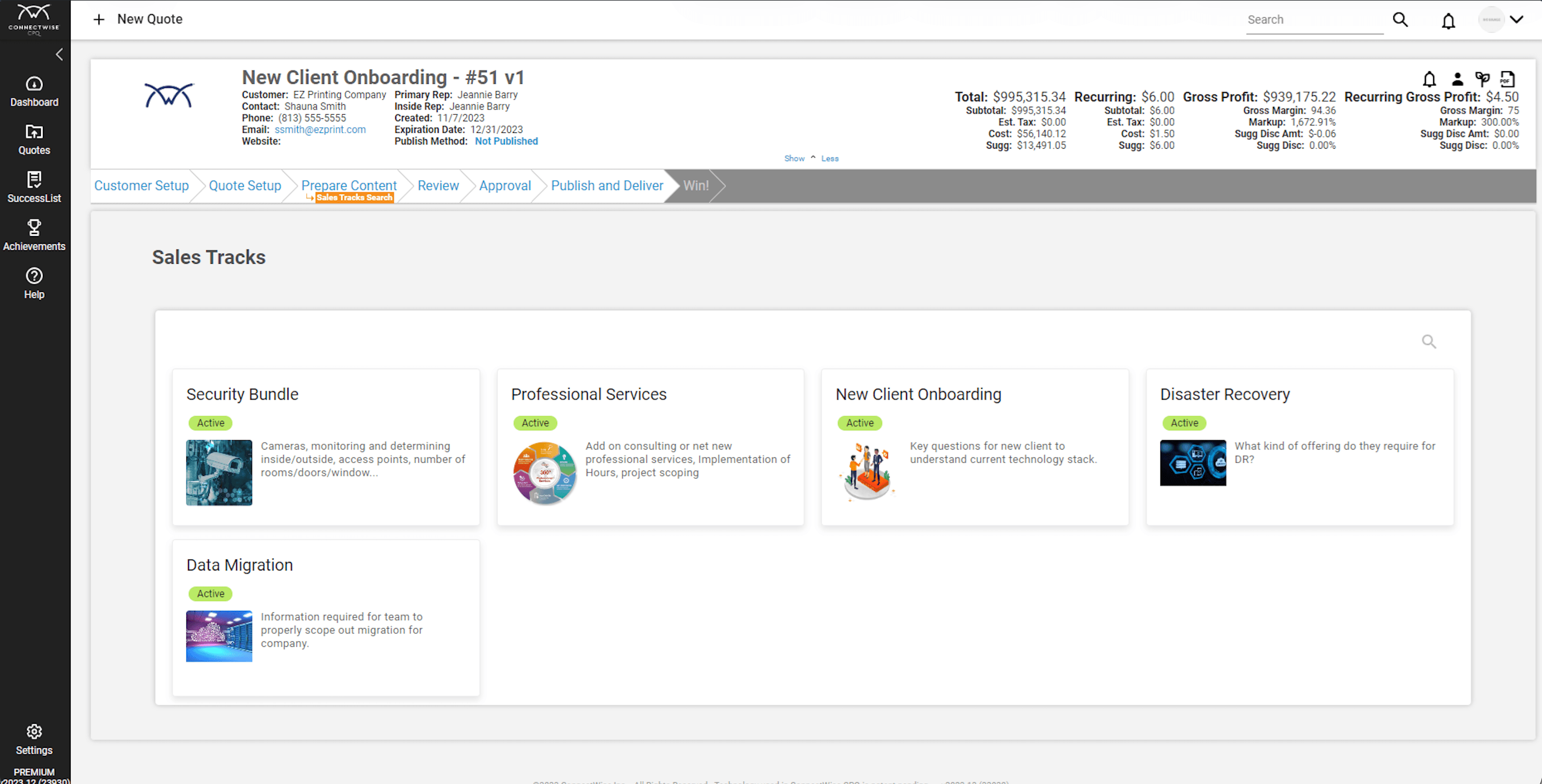
ConnectWise CPQ is specifically designed for managed service providers, IT resellers, and technology-focused small businesses.
Key features:
Quoting, approval workflows, and integrated e-signature
Reporting dashboards for quote performance and sales analytics
Built-in product catalogs for technology products and services
Integration with ConnectWise's broader business management suite
What reviews highlight: G2 users in 2026 consistently mention the strong fit for technology businesses and the depth of reporting features.
Ideal use cases:
IT services companies and managed service providers
Technology resellers and channel partners
Small businesses selling technology products with complex configurations
5. Dock: Best for Fast Setup and Simple Subscription Quoting
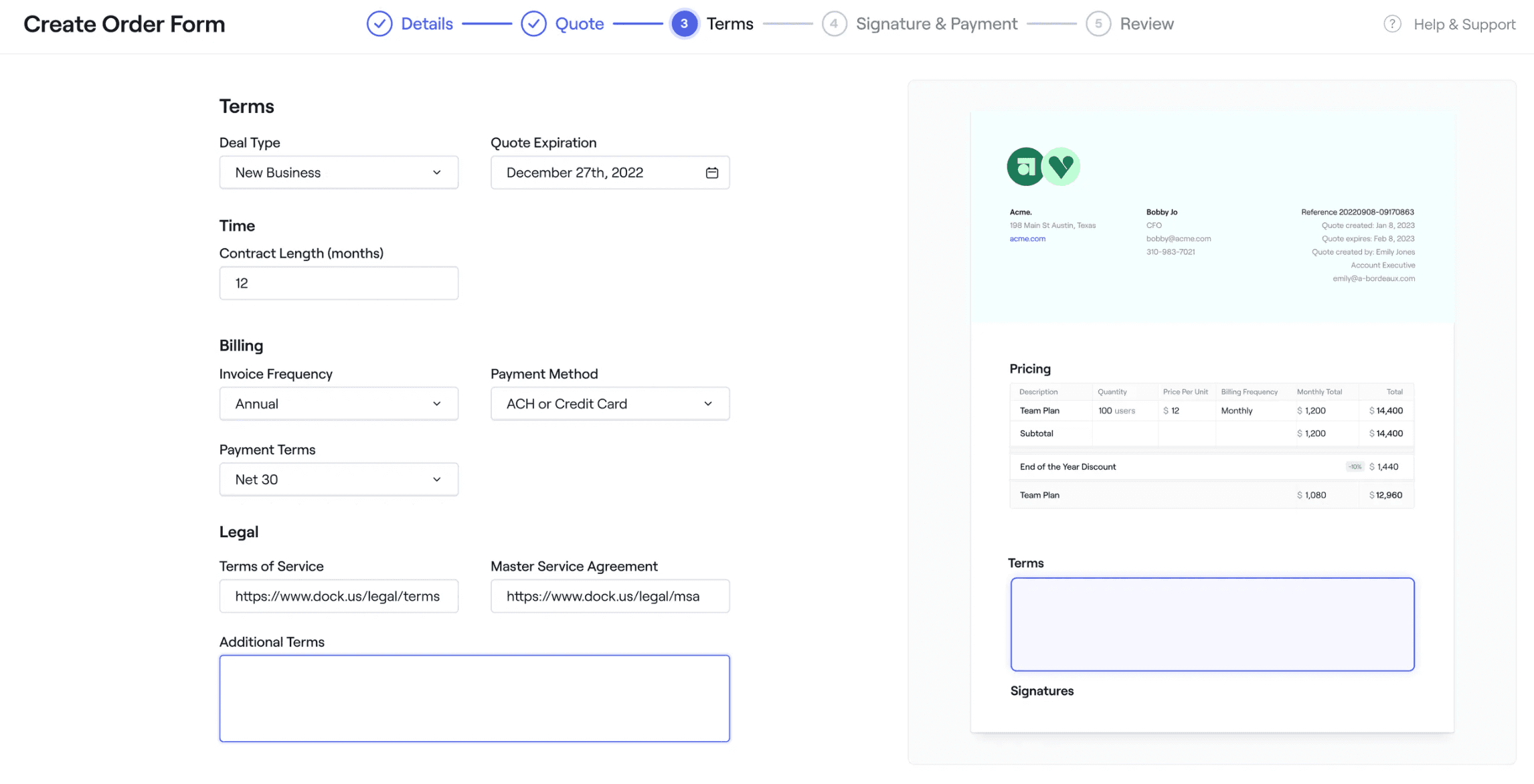
Dock focuses on lightweight, fast-to-deploy CPQ for startups and very small teams.
Key features:
Streamlined subscription and recurring revenue quoting
Customizable sales pages with embedded quote generation
Simple integration with popular sales and payment tools
Mobile-optimized quote creation and approval
Why it works for small teams: According to Dock's own CPQ guide for 2026, the platform is designed for teams that need to start quoting immediately without complex setup or training.
Ideal use cases:
Early-stage small businesses needing quick, low-friction quoting
Subscription-based businesses with recurring revenue models
Teams that prioritize speed and simplicity over advanced features
6. Salesforce CPQ (Revenue Cloud): Best for Growing Small Businesses Already on Salesforce
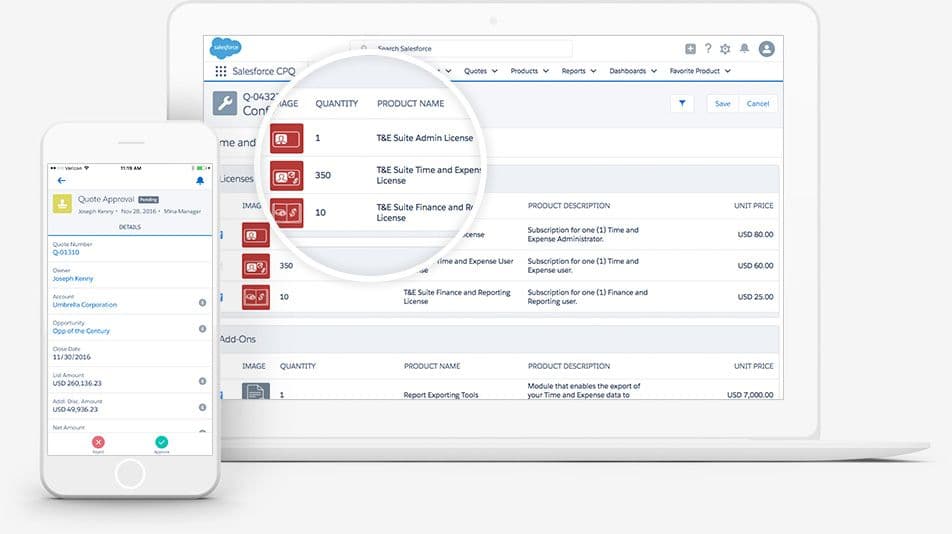
Salesforce CPQ is a robust, feature-rich solution that works best for small businesses already invested in the Salesforce ecosystem.
Key features for small business:
Advanced rule-based configuration and guided selling
Contract management and renewal automation
Comprehensive reporting and sales analytics
Deep integration with Salesforce's sales and marketing tools
Trade-offs: More powerful than other options, but higher cost and complexity. SalesforceBen.com and G2 findings suggest it's best suited for larger small businesses with established systems and dedicated administrators.
Ideal use cases:
Small businesses already using Salesforce for sales and marketing
Growing companies that need enterprise-grade features
Teams with dedicated Salesforce administrators or consultants
7. Experlogix CPQ: Best for Complex Product Configuration
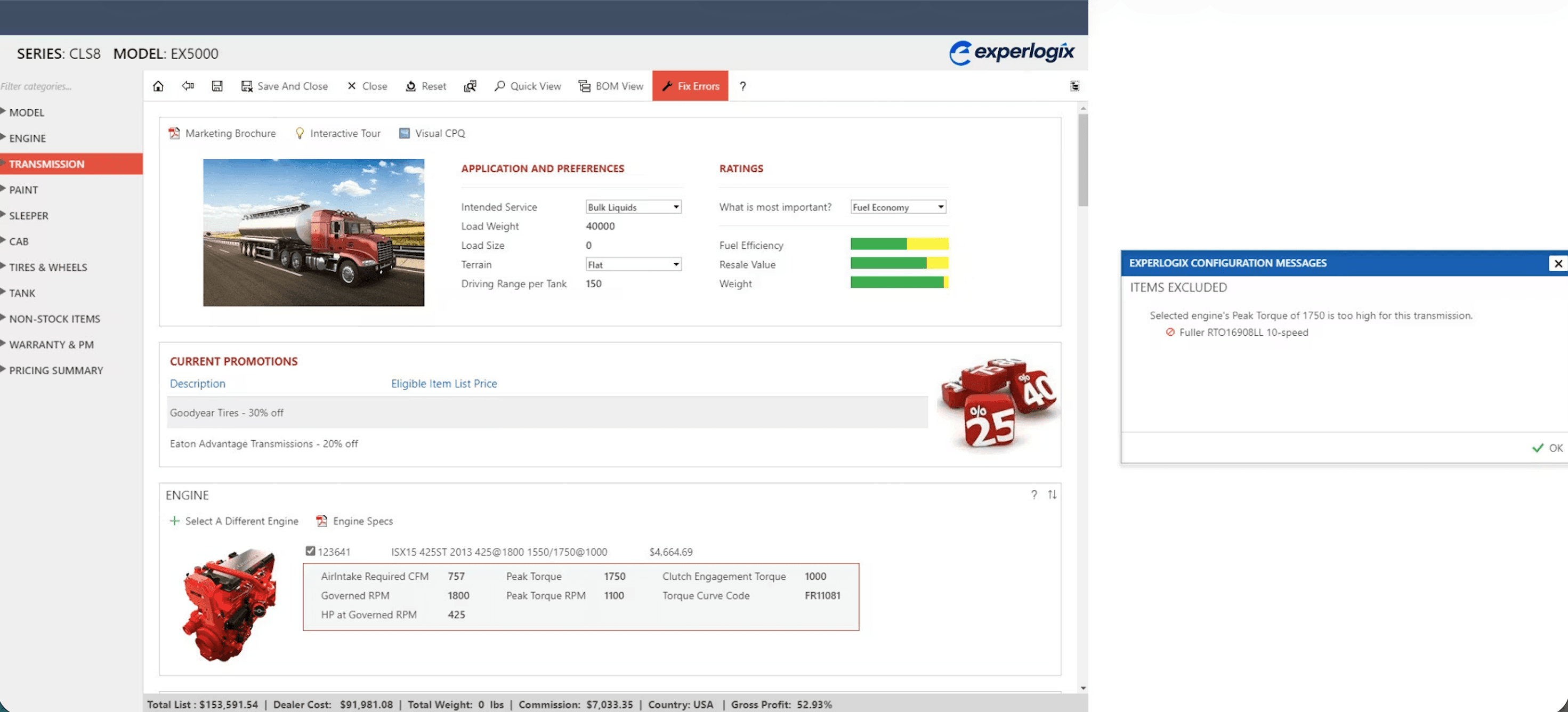
Experlogix CPQ specializes in businesses with intricate product configuration needs and complex pricing rules.
Key features:
Advanced rule-based configuration to prevent impossible product combinations
Strong support for complex product hierarchies and dependencies
Visual configuration tools for technical products
Integration with manufacturing and inventory systems
Why it appears in small business comparisons: According to Cincom's 2026 CPQ comparison, Experlogix excels when product configuration complexity exceeds what simpler tools can handle. This is especially true in sectors where integration is a top priority, a best practice highlighted by experts at GenAlpha for industries like equipment manufacturing.
Ideal use cases:
Small manufacturers with highly configurable products
Custom product businesses with intricate configuration rules
Technical product companies where configuration errors are costly
Quick Comparison: CPQ Tools at a Glance
Kickflip
Best For: Visual, ecommerce-first CPQ
Starting Price: $59/month + $99 CPQ add-on
Setup Time: Days
Key Strength: No-code visual configuration
PandaDoc CPQ
Best For: Document-driven quotes
Starting Price: $65/month
Setup Time: 1-2 weeks
Key Strength: All-in-one documents & e-signatures
QuoteWerks
Best For: Integration-heavy environments
Starting Price: $58/month
Setup Time: 2-4 weeks
Key Strength: Extensive third-party integrations
ConnectWise CPQ
Best For: Tech and IT businesses
Starting Price: Contact for pricing
Setup Time: 3-4 weeks
Key Strength: Built for technology companies
Dock
Best For: Fast, simple setup
Starting Price: $50/month
Setup Time: 1-3 days
Key Strength: Speed and simplicity
Salesforce CPQ
Best For: Salesforce-based businesses
Starting Price: $150/user/month
Setup Time: 6-8 weeks
Key Strength: Enterprise-grade features
Experlogix CPQ
Best For: Complex configurations
Starting Price: Contact for pricing
Setup Time: 4-8 weeks
Key Strength: Advanced product rules
Traditional CPQ vs Visual, Ecommerce-Native CPQ

The Limits of Traditional CPQ for Small Ecommerce Brands
Most CPQ tools were built for enterprise sales teams working behind the scenes. Here's the typical flow:
Customer expresses interest in a custom product
Sales rep uses internal CPQ software to configure options
Rep generates a quote and emails it to the customer
Customer reviews, requests changes, and the cycle repeats
Finally, an approved quote gets converted to an order
This approach creates several problems for small ecommerce businesses:
Implementation complexity. Traditional CPQ requires extensive customization and technical setup.
Disconnect from online experience. Customers browse your beautiful ecommerce site, then get shuffled to a completely different quoting process.
Bottlenecks. Every quote request requires human intervention, creating delays.
Poor mobile experience. Most traditional CPQ interfaces weren't designed for customer-facing mobile use.
The Rise of Customer-Facing, Storefront-Integrated CPQ
Modern buyers expect to configure and see pricing themselves. They want the same seamless experience they get when buying standard products, but for custom items too.
This shift has led to a new category of visual configuration software that embeds directly into ecommerce stores. Instead of separate systems, customers get:
Real-time visualization. See exactly what their custom product will look like.
Dynamic pricing. Watch prices update as they make selections.
Seamless quote requests. Go from browsing to quote requests without leaving the store.
Mobile-optimized experience. Configure complex products easily on any device.
How Kickflip Embodies This New Model
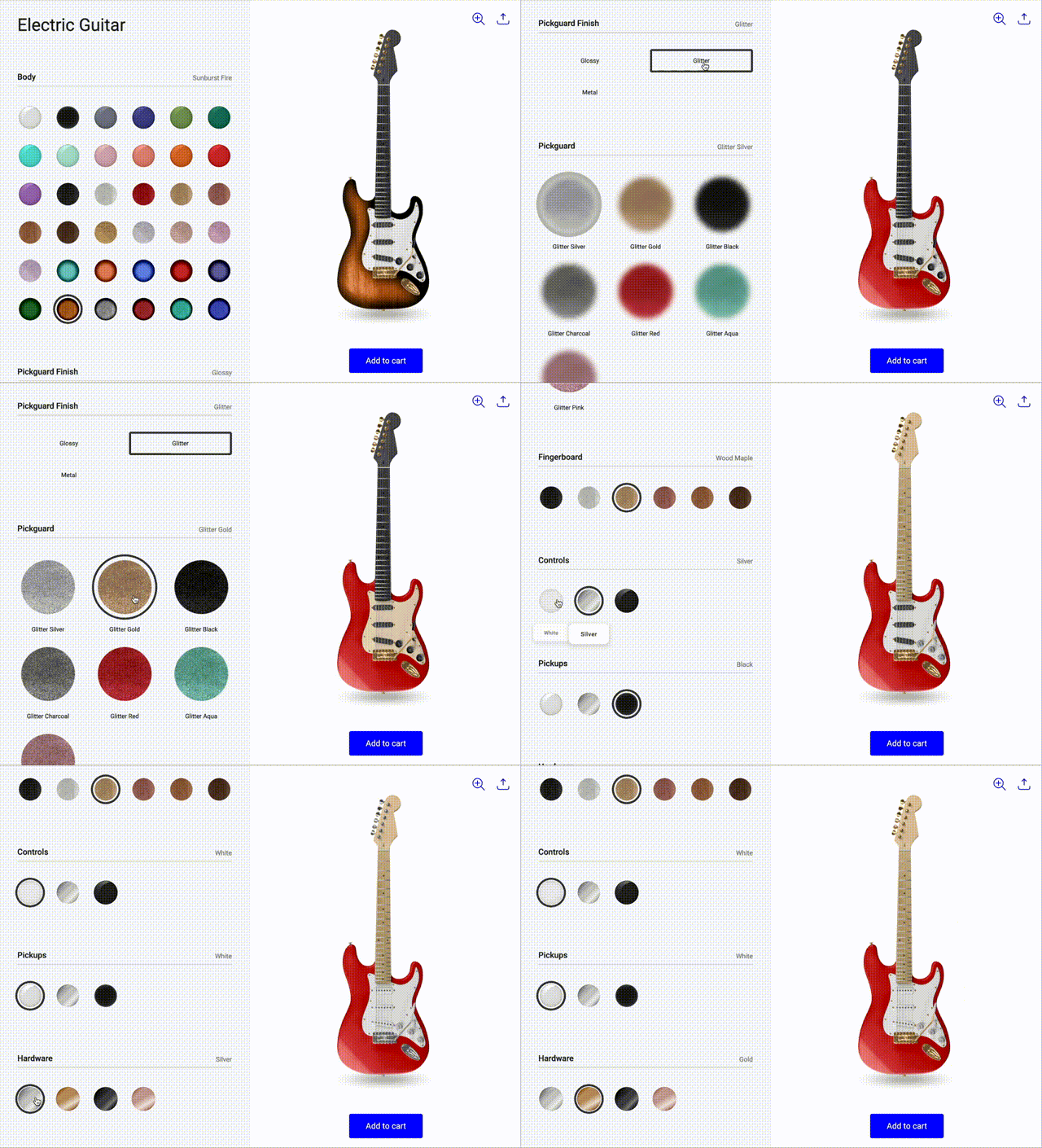
Kickflip demonstrates how modern CPQ should work for small ecommerce businesses:
Configure. Visual product configurator embedded directly in your online store. Customers see their customizations in real-time as they select colors, materials, add text, or upload logos.
Price. Dynamic pricing engine that updates costs instantly based on selected options. You can show detailed pricing, relative pricing ("+$30 for premium material"), or hide prices entirely for quote-only products.
Quote. Seamless "Get a Quote" feature that replaces the "Add to Cart" button for complex products. Customers configure their ideal product, click "Get a Quote," fill out a simple form, and automatically generate a quote in your dashboard.
Benefits for small ecommerce businesses:
No-code setup. Build configurators without developers.
Ecommerce-first design. Built specifically for online stores, not adapted from enterprise software.
Handles complexity. Manage complex custom orders without a heavy internal sales infrastructure.
Faster sales cycles. Customers can configure and quote themselves 24/7.
This approach works particularly well for businesses selling customizable products like apparel, sporting goods, furniture, promotional items, or any product where customers need to see their customizations before buying or requesting a quote.
How to Choose the Best CPQ Software for Your Small Business
Start with Your Product and Sales Process
Before diving into features and pricing, ask yourself these key questions:
Product complexity:
Are your products standard with a few options, or highly customizable?
Do customers need to visualize their customizations?
Are your products simple enough for self-service, or do they require sales guidance?
Sales process:
Do you sell mostly online, mostly through sales reps, or both?
Do customers expect to see pricing immediately, or is everything quote-based?
How quickly do customers expect quotes?
Current pain points:
Where do most errors happen in your current quoting process?
What takes the most time when creating quotes?
Where do you lose the most potential customers?
Match Features to Real-World Workflows
Different CPQ tools excel at different workflows:
If you send lots of formal proposals and contracts: Prioritize document-heavy CPQ like PandaDoc that handles the entire document lifecycle from quote to signature.
If quoting must happen inside your online store: Choose visual, storefront CPQ like Kickflip that lets customers configure products and request quotes without leaving your ecommerce site.
If you have complex product rules and dependencies: Look for advanced configuration tools like Experlogix that prevent impossible product combinations.
If you need extensive integrations: Consider tools like QuoteWerks that connect with hundreds of existing business applications.
Budget, Implementation, and Support Considerations
Look beyond the monthly subscription price:
Implementation timeline. How quickly can you get to your first live quote? Simple tools like Dock can be ready in days, while enterprise solutions like Salesforce CPQ can take months.
Total cost of ownership. Factor in setup fees, training costs, integration expenses, and per-user charges as you grow.
Support quality. Check G2, Capterra reviews, and even community discussions for support responsiveness, documentation quality, and onboarding resources.
Scalability. Will the tool grow with your business, or will you need to migrate again in two years?
Key Questions to Ask Before Choosing
Setup Speed
Question: How long until first quote?
Red Flag: "6-8 week implementation" for simple products
Learning Curve
Question: Can your team use it without extensive training?
Red Flag: Requires dedicated administrator
Integration
Question: Does it work with your current ecommerce platform?
Red Flag: "Custom integration required"
Pricing Model
Question: Are there hidden fees or per-user charges?
Red Flag: Pricing not listed on website
Support
Question: Is documentation clear and support responsive?
Red Flag: Poor reviews for customer service
When to Invest in CPQ
CPQ software makes sense when you're experiencing these signs:
Quote bottlenecks. Your team spends more time creating quotes than selling, or customers wait days for simple quotes.
Frequent errors. Pricing mistakes, wrong product configurations, or missed options are costing you money and credibility.
Lost deals. Customers abandon complex purchases because they can't easily configure products or get pricing information.
Growth limitations. Your current manual process can't scale with increasing order volume or product complexity.
Customer experience issues. Customers complain about slow responses, confusing options, or unclear pricing.
The right CPQ tool should simplify your workflow, not complicate it. If a solution requires extensive training, complex integrations, or fundamental changes to how you do business, it's probably not the right fit for your small business.
Transform Your Custom Product Sales with Professional CPQ
Choosing the right CPQ software can transform how your small business handles custom products and complex quotes. Here's a quick recap of your best options:
Kickflip. Visual, ecommerce-first CPQ for businesses selling customizable products online.
PandaDoc CPQ. Document-driven solution for service businesses needing proposals and contracts.
QuoteWerks. Integration-heavy platform for businesses with complex tool stacks.
ConnectWise CPQ. Purpose-built for technology companies and IT service providers.
Dock. Fast, simple solution for startups and subscription businesses.
Salesforce CPQ. Enterprise-grade features for growing businesses already on Salesforce.
Experlogix CPQ. Advanced configuration for businesses with complex product rules.
The shift from traditional, sales-rep-only CPQ to visual, customer-facing CPQ represents a fundamental change in how small businesses can compete. When customers can configure products themselves, see real-time pricing, and request quotes instantly, you remove friction and speed up your sales process significantly.
If you're selling customizable products online, consider testing a visual, storefront-first CPQ solution. The ability to let customers configure, visualize, and quote complex products directly in your online store can dramatically improve both your conversion rates and customer experience.
Ready to see how visual CPQ works for your products? Kickflip's configure price quote feature lets you build no-code product configurators that handle everything from simple customizations to complex quote requests. With seamless integration into popular ecommerce platforms and pricing that scales with your business, it's designed specifically for small businesses ready to modernize their custom product sales process.
Ready to Streamline Your Custom Product Sales?
If you're tired of manual quoting processes and want to give customers the ability to configure products and request quotes directly in your online store, Kickflip's visual CPQ solution is designed specifically for small businesses like yours.
With Kickflip's configure price quote feature, you can:
Build no-code product configurators in days, not months
Let customers visualize their customizations in real-time
Enable instant quote requests with automated quote generation
Scale from simple customizations to complex product configurations
The platform integrates seamlessly with Shopify, WooCommerce, Wix, and custom ecommerce platforms, making it easy to add visual CPQ to your existing store without technical headaches.
Start with 10 free quotes and see how visual CPQ can transform your custom product sales process.
Frequently Asked Questions
What is the best CPQ software for small business in 2026?
The best CPQ software depends on your specific needs. For visual, ecommerce-first CPQ, Kickflip leads with no-code setup and storefront integration. For document-heavy workflows, PandaDoc CPQ excels. For extensive integrations, QuoteWerks is top-rated. The key is matching the tool to your product type and sales process, a common topic on user Q&A platforms like Techjockey. Check out detailed comparisons on G2 and Capterra to see how these tools stack up based on real user reviews.
How do I choose the right CPQ tool for a small ecommerce business?
Start by evaluating your product complexity and sales process. If you sell customizable products online and want customers to configure and quote themselves, choose visual CPQ like Kickflip. If you primarily work through sales reps and need document management, consider traditional CPQ like PandaDoc or QuoteWerks. Look at implementation timelines, total cost of ownership, and support quality before making a decision.
Do small businesses really need CPQ software, or are spreadsheets enough?
Spreadsheets work for very simple products and low quote volumes, but they create problems as you grow. CPQ software eliminates pricing errors, speeds up quote generation, and provides a premium experience. If you're spending hours on manual quotes or losing deals due to slow response times, CPQ software will pay for itself quickly. According to G2 data, businesses using CPQ close deals 28% faster and reduce errors by 65%.
Which CPQ tools work best for customizable products and visual configuration?
Kickflip specializes in visual configuration with real-time product visualization and dynamic pricing. It's specifically designed for ecommerce businesses selling customizable products like apparel, sporting goods, furniture, and promotional items. Traditional CPQ tools typically don't offer the same level of visual configuration capabilities. Learn more about how visual configuration software works.
Is Kickflip a CPQ solution or just a product configurator?
Kickflip is both. It provides visual product configuration (the "Configure" part) with dynamic pricing (the "Price" part) and includes a dedicated CPQ add-on for quote generation and management (the "Quote" part). This makes it a complete CPQ solution specifically designed for ecommerce businesses selling customizable products. You can see how it works as a product configurator integrated with full CPQ capabilities.